Reading Time: 4 minutes (725 words)
Target Audience: Upper Elementary, Middle, and High School Teachers
A Backstory
Last spring, my eighth-grade son asked me to sit down and help him with a Shark Tank project for his science class by supporting two tasks: reading his work to make sure it didn’t sound like AI wrote it and finding some images to add to each slide.
The project was definitely eighth-grade good (translation: not written by AI), but he struggled with visuals. None of the free images without copyright restrictions fit his needs or matched what he was envisioning: a shark (to fit the Shark Tank theme) circling an island engulfed in forest fire flames (the issue his project was designed to address). After several minutes of struggling, I suggested we turn to turn to AI. Thus began a mission of vision and revision.
Behind the Scenes
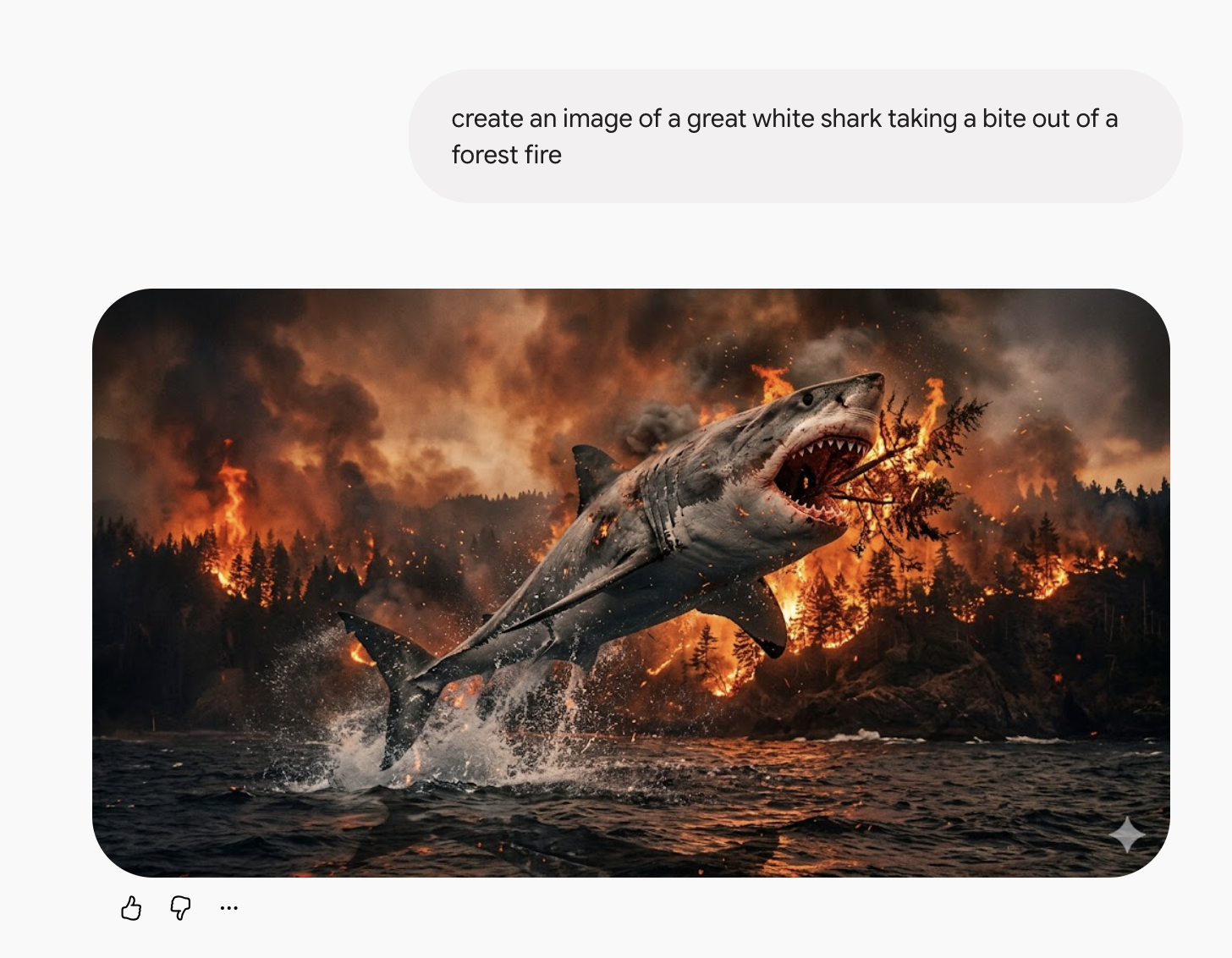
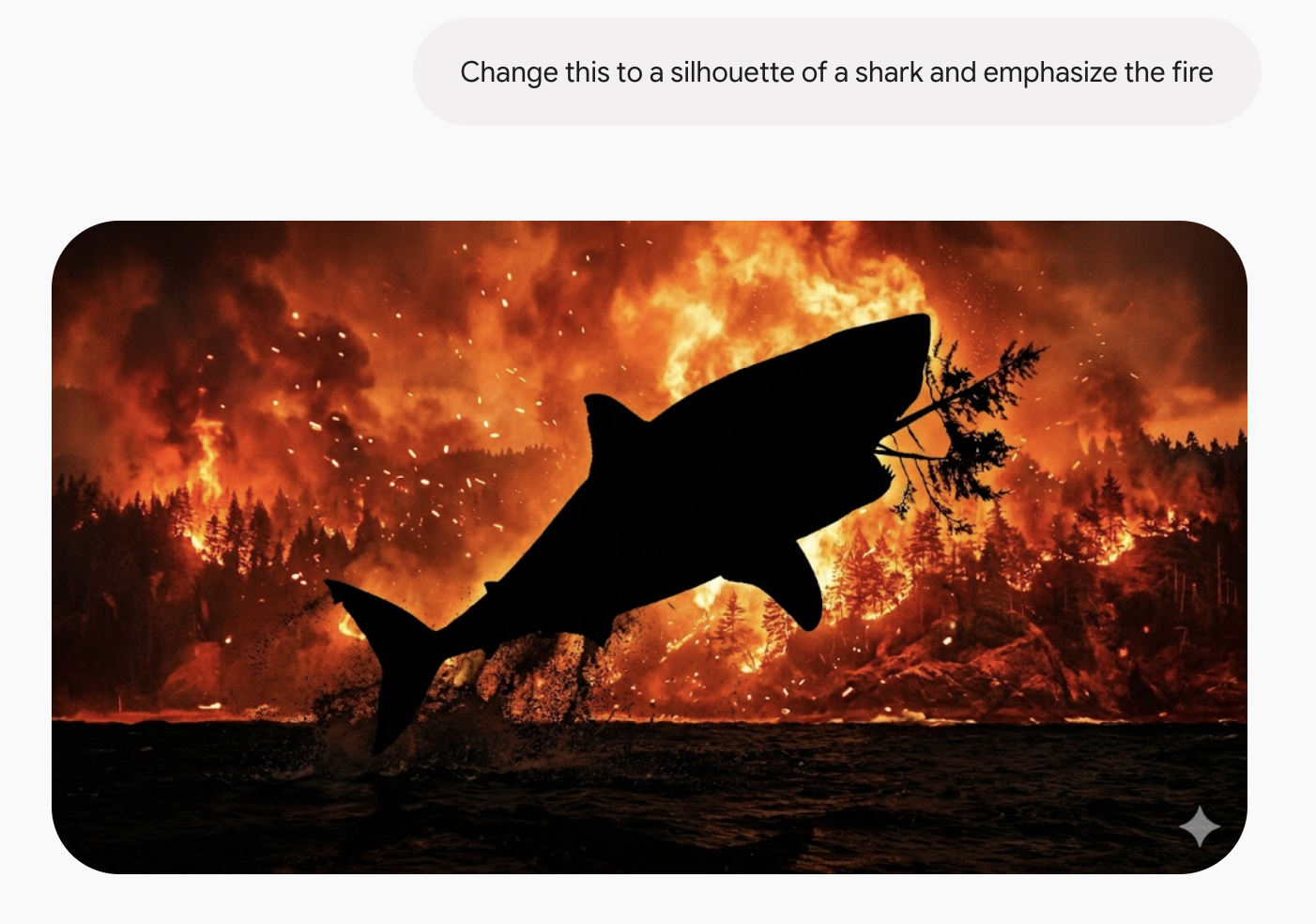
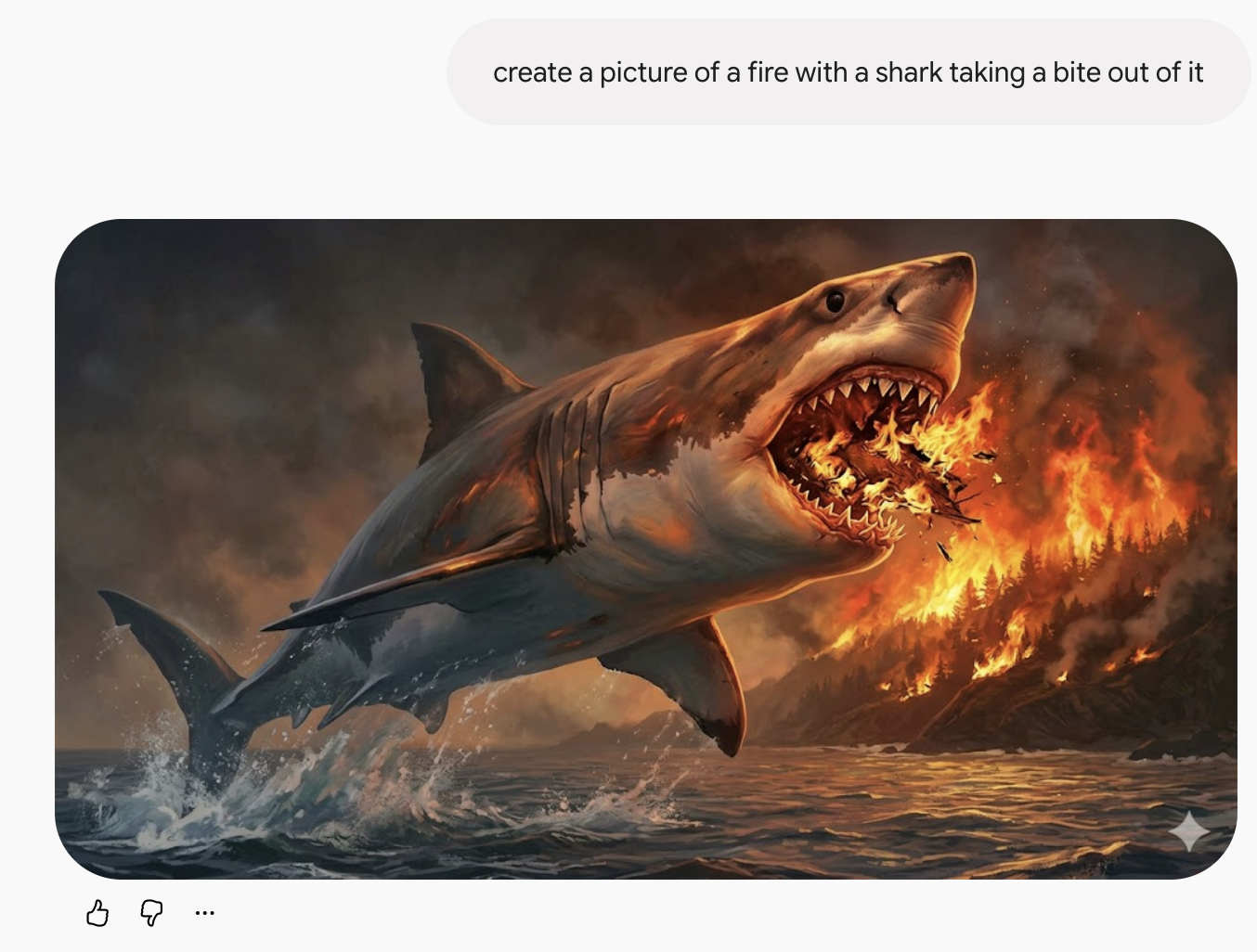
We started with a simple prompt: Create an image of a Great White Shark taking a bite out of a forest fire. The resulting image was decent, but not to the satisfaction of a picky 14-year-old. So we began making tweaks and shifts to our request, each time becoming a little more clear and precise in our language. By the time he felt the project was complete, I had arrived at the realization that AI is a fantastic partner for teaching the revision process, not just a shortcut to a product.
Try This:
Using AI as a revision tool is not only a fun way to refine language skills, it can also be a great exercise to pair with publishing as kids try to generate images to complement their polished writing pieces. To implement this in a classroom, here’s a possible workflow:
- Have students decide what image they want to create and jot their idea on a sticky note or describe it to a partner.
- Show students how to prompt a student-friendly and safe AI tool to generate the first draft of their image.
- Pause and reflect: Does this image match what I want? What needs to change? How can I put that change into words?
- Revise the prompt to be more specific, descriptive, and precise, and try again.
- Repeat this process until the image reaches the desired outcome.
The Impact
This is a fun, engaging way to get students to practice their revision skills with immediate feedback. It shifts the use of AI from being product-focused to becoming more process-oriented. Writers are authentically put in a position where they have to weigh their words carefully and consider how choices they make influence the image that is created.
AI Acknowledgement and Analog Alternatives
There is a lot of uncertainty surrounding AI and its impacts on society, education, and the environment right now. As educators and members of society, we are just dipping our toes into what AI can do, should do, and definitely should not do. If your district does not have appropriate AI tools or you aren’t comfortable trying them out with kids, here are some ways to shift to an analog approach:
- Have kids work in a small group of 3-4, one student giving directions while the others sketch out of sight. Reveal the images after a few minutes of drawing and compare how they are the same/different. Discuss what the prompting student might have said to make the work more detailed or similar and, if time permits, have kids try adding or changing their drawings.
- Make this a fun whole-class weekly warm-up. Model (or choose one student) to issue a set of directions to the class at the beginning of the week to draw or create something. Based on what kids do the first day, model or have the student revise the prompt for the second day. Repeat this across a few days to illustrate how to get more specific and precise with language.
- Put the activity in reverse: show an image to the class and have students draft and revise prompts that might generate the picture. Go through several rounds of revision to help them become more specific.
The Bottom Line
Giving kids the opportunity to engage in authentic revision matters, and pairing this work with tech tools and visual imagery takes it to a whole new level. By tapping into precise language and creative thinking, students can enhance their writing skills and take ownership of the revision process.
Media in This Post:
- Featured image was created with Canva templates.
- Screenshots were taken of Google Gemini prompts and image generated on March 31, 2026.
Discover more from TWO WRITING TEACHERS
Subscribe to get the latest posts sent to your email.


