Last month I finally got of my cell phone that didn’t have a qwerty keyboard and upgraded to an iPhone 4S. It took me awhile to convert to an iPhone since I first wanted it to come with Verizon service and then I was waiting for the iPhone 5. When the 4S came out in lieu of the 5, I knew I had to stop waiting and jump on the iPhone bandwagon. I’m thankful I did. While it hasn’t changed my life (as many of my friends said it would), it has certainly made a lot of things easier. No longer to I have to seek out places with WiFi when I’m out and need to replicate my e-mail. Now I can do it from anywhere at any time. That, in and of itself, makes life much easier.
The thing I love most about my 4S is Siri. Siri is the virtual assistant who wakes me up every morning (unless Isabelle beats her to it), schedules my appointments, makes my phone calls when I don’t want to search my contacts, and even finds me local delis when I tell her I’m in the mood for a corned beef sandwich. Siri’s voice recognition can type out memos or e-mails too. Sounds perfect, right? Not so fast. This literacy specialist, who is fully aware Siri is still in beta, isn’t pleased with the results of all of Siri’s written missives and notes. Siri doesn’t always understand everything I say. For example, I got so excited about Lynne and Rose’s new website when I found out in launched, I started a blog post on my iPhone. However, as you’ll see, the dictation didn’t look too stellar since Siri didn’t capture my thoughts with precision:
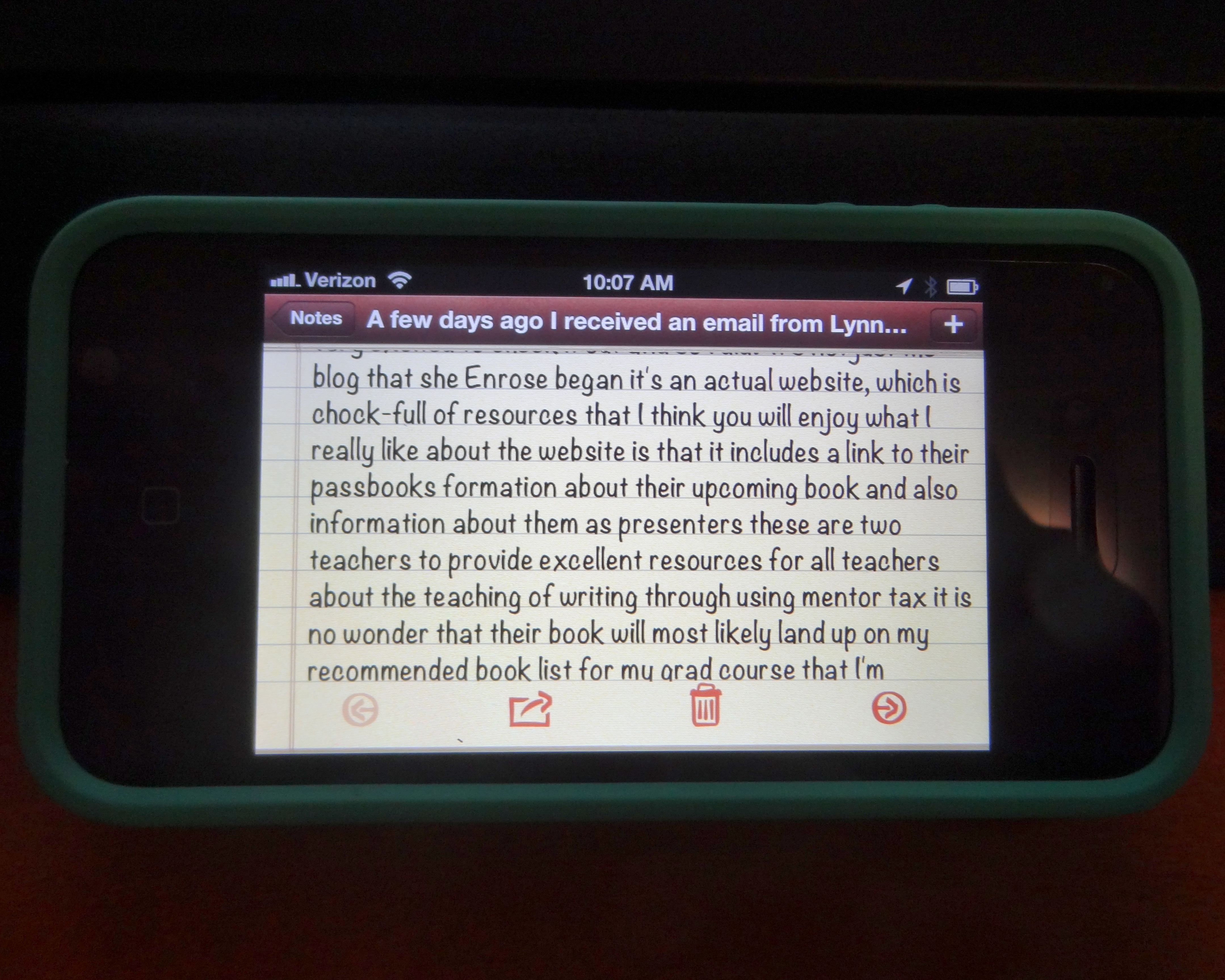
I could envision using this example from Siri in a class full of kids when trying to make the case for proofreading. While not everything I write and post on this blog is always perfect, it sure looks a LOT better than this. If I were to post what I wrote (above) on the blog, I’m sure I’d get lots of comments saying that my message wasn’t clear, that I didn’t know how to write, or worse, teachers like you wouldn’t come back and visit this blog again.
I contacted Apple Customer Care, which might be the most talented and patient group of people I’ve ever dealt with for tech support in my life, about Siri’s grammatical issues. I prefaced my complaint about her misspellings and misuse of punctuation with the fact that I am a certified literacy specialist who blogs about the teaching of writing. While I’m sure the tech who helped me got a chuckle from my phone call, they didn’t let on. Instead, they encouraged me to dictate my e-mails using commands like “comma” when I want Siri to place a comma or “period” when I want Siri to end a sentence. Take a look at a short e-mail I wrote to my husband this past weekend. Essentially, I needed him to go to the supermarket to pick up some whole milk for our daughter. Granted, I could’ve sent the e-mail to him the first two ways, which were dictated to Siri.

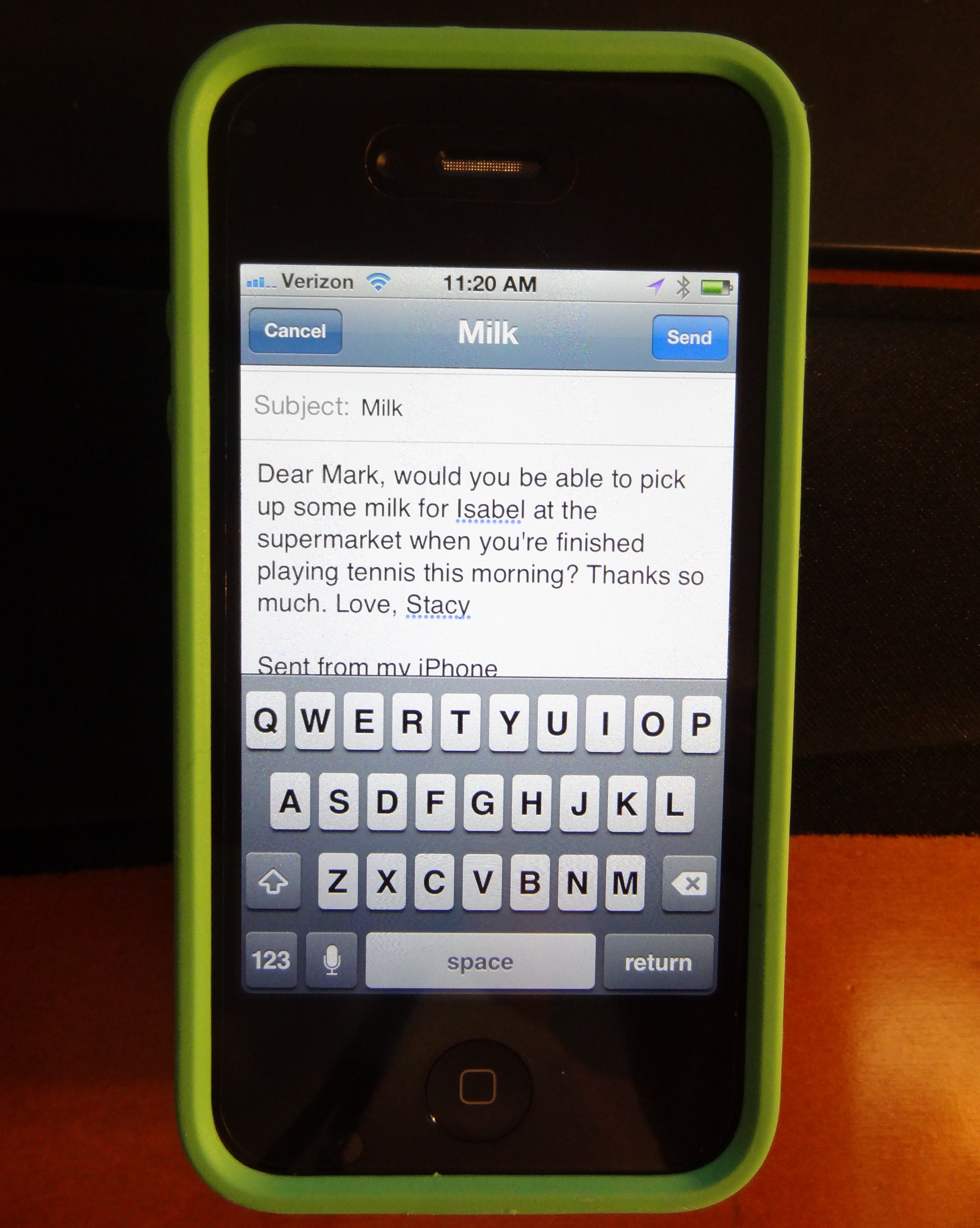
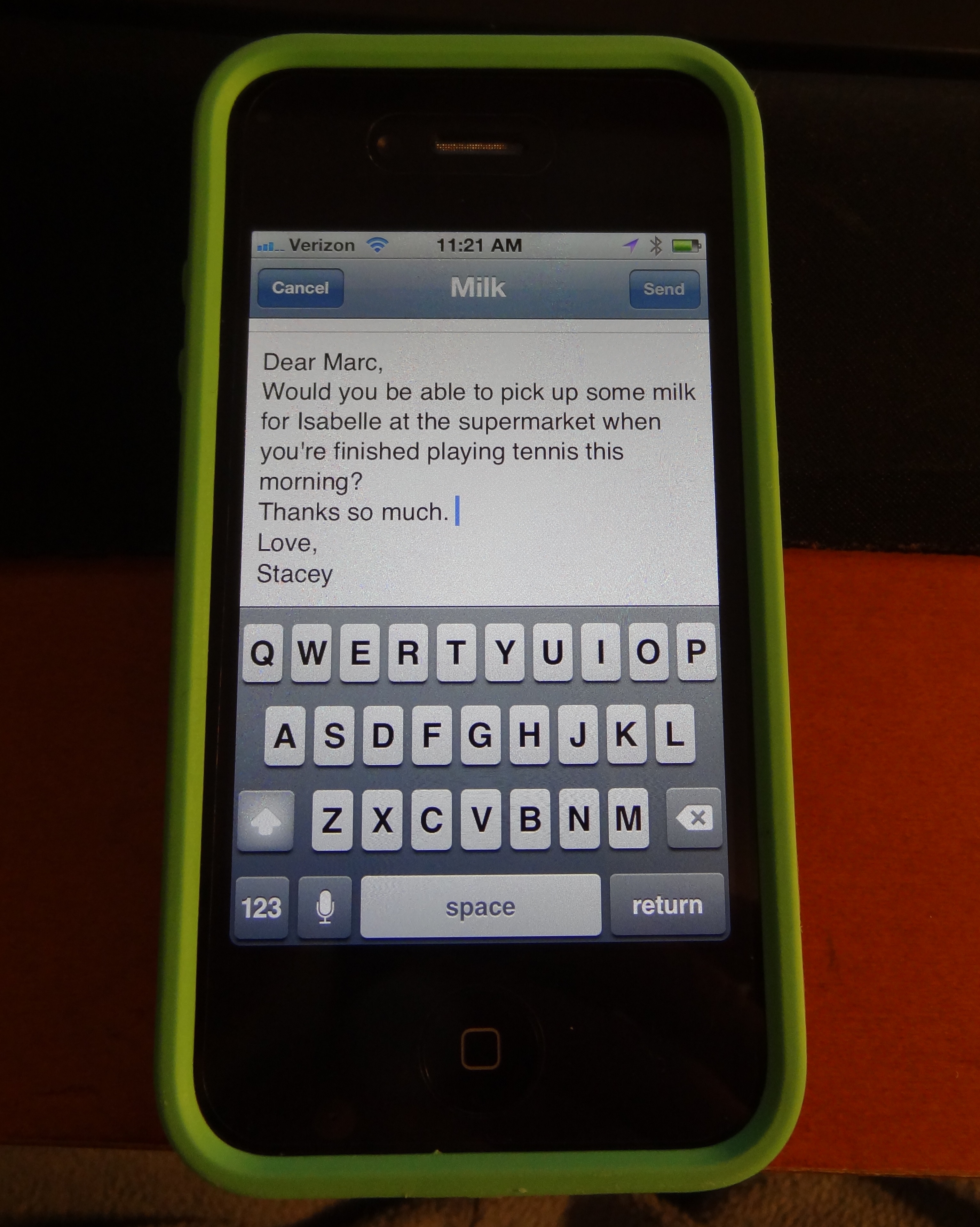
I chose to edit the second email (above) so that our names were spelled properly. I also hit the enter return button a few times so it looked more like a letter and less like a stream of consciousness. (NOTE: Apple also told me there is nothing they can do to help me fix Siri’s spelling problems since she’s still in beta. There’s no way for them to help me even get Siri to recognize my name, when I type it in an e-mail, which means I have to constantly correct the spelling of my own name before I send an e-mail to anyone. Seeing as the spelling of my name is pretty important to me, this is a quick fix I do each and every time I send an e-mail.) I realize some people might think my desire to correct an e-mail to my husband is ridiculous. (Quite frankly, he might think it’s a little ridiculous too.) But, I proofread all of the e-mails I dictate through Siri before I send them off to anyone. It doesn’t matter if I’m e-mailing my family, my friends, or a consulting client. As a writer, I want every e-mail to look right every time.
Siri is a wonderful tool. Life is easier because she’s here. (Yes, I really did refer to her as a she, as if she’s a person!) However, like any tool, we have to remember to use it responsibly. We want our students to proofread their writing before they turn it in. It’s worth talking to kids about the messages they send to others, using technological tools like Siri, and the importance of proofreading before they send off an e-mail, Tweet, or publish a blog post. We don’t want to let them, or ourselves, become too reliant on technology that isn’t perfect (yet).
Discover more from TWO WRITING TEACHERS
Subscribe to get the latest posts sent to your email.


@Michelle: GREAT tip. I’ve taken screen shots of my screen by accident before, but I could never figure out how I did it. Now I know. Thanks!
LikeLike
Great post, I too get frustrated when I dictate messages to Siri. I do have a tip for you. If you want to share a photo of your iPhone screen, you can take a screenshot by pushing the screen lock button and the button you use to close your apps. When you push them at the same time, it takes a photo and stores it on your iPhone. My sister taught me that when iOS5 came out.
LikeLike
Taylor Mali wrote a great poem about the importance of proofreading–here’s a link to the text. A little edgy for classrooms but very funny…
http://www.taylormali.com/index.cfm?webid=30
LikeLike
I’m not there yet, maybe soon, but I have my hands full enough with the new IPad & my laptop & old desktop. I like hearing about this though, & like the final paragraph, too. It might make a difference in a job application, etc., important things in today’s economy.
LikeLike
My grand-daughter is named Siri, so when my son-in-law referred to his iPhone app as Siri, I thought he had personally given it her name! Good to know that’s not accurate, as I am making the move from the Droid to the iPhone4S this week. I thought I could call the app Siri, too, but I guess everyone will be doing that. Thanks for sharing. I’ll know what to expect.
LikeLike